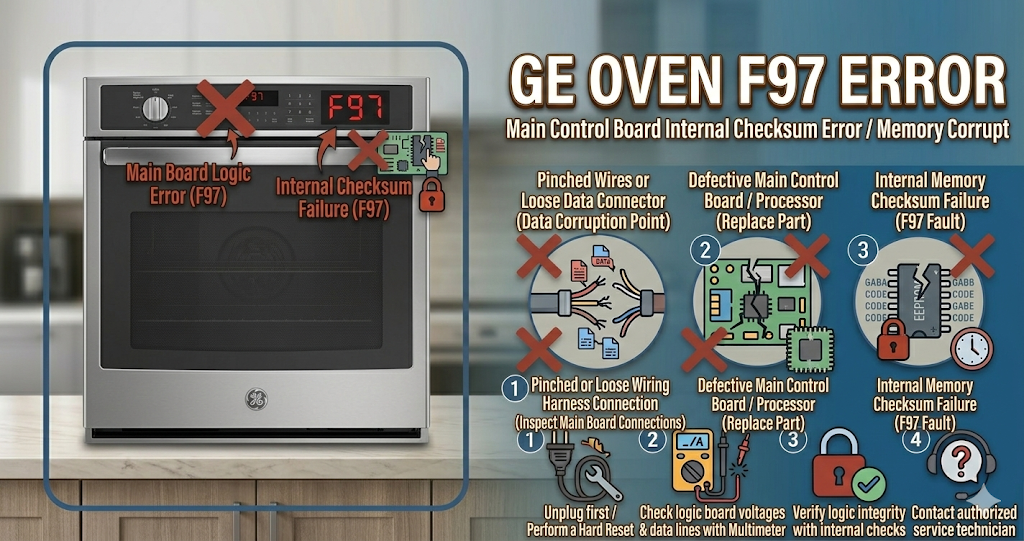
The GE oven F97 error code indicates a failure with the cooling fan (often called the blower motor). This specific fan is not the convection fan that blows air inside the oven to cook food; rather, it is the safety fan located above the oven cavity that runs to keep the delicate electronic control board and your surrounding kitchen cabinets from melting. When the GE oven F97 error appears, the oven will shut down and refuse to heat as a mandatory safety precaution.
⚠️ SAFETY FIRST: You are dealing with 240 volts of highly dangerous electricity. Absolutely turn off the dedicated double-pole circuit breaker in your home’s electrical panel or completely unplug the stove from the wall outlet before removing any metal panels or reaching near the high-voltage wiring.
What Causes the GE Oven F97 Error Code?
When your digital display flashes the GE oven F97 error, the main computer has detected that the cooling fan is turning too slowly or is not spinning at all. The most common triggers for this critical safety failure include:
- Jammed cooling fan blade: Over time, grease, dust, or even small rodents can get into the upper vent area and physically block the squirrel-cage fan from spinning freely.
- Faulty cooling fan motor: The constant exposure to intense heat over several years can dry out the motor bearings or burn out the internal electrical coils, leaving the fan completely dead.
- Damaged wiring harness: The wires connecting the cooling fan to the main electronic control board have vibrated loose, or the intense heat has melted their protective insulation, causing a short circuit.
- Main control board failure: In some instances, the fan itself is perfectly fine, but a burned-out relay on the main computer board is no longer sending the required voltage to turn the fan on.
Tools You Will Need for This Repair
To properly diagnose and resolve the GE oven F97 error, gather these basic tools before you start:
- A 1/4-inch nut driver or a Phillips-head screwdriver (to remove the upper rear access panel).
- A digital multimeter (crucial for testing the fan motor’s electrical continuity).
- A flashlight to inspect the dark upper cavity of the stove.
- Heavy-duty work gloves (the sheet metal edges are razor-sharp).
How to Fix GE Oven F97 Error Step-by-Step
You can often diagnose the GE oven F97 error and replace the faulty component safely by following these DIY troubleshooting steps:
- Access the Cooling Fan: Ensure the power is completely off. Pull the oven away from the wall. Using your nut driver, remove the screws securing the upper back metal panel (behind the control board).
- Inspect for Obstructions: Once the panel is off, you will see a long, cylindrical fan assembly (it looks like a hamster wheel). Shine your flashlight inside and look for heavy grease buildup, dust bunnies, or physical blockages. Try to spin the wheel with your finger; it should turn smoothly. If it grinds or is stuck fast, the motor bearings are ruined.
- Test the Fan Motor with a Multimeter: If the fan spins freely by hand, you must test it electrically. Disconnect the two wires attached to the fan motor. Set your digital multimeter to the Ohms (Ω) setting. Touch one probe to each metal terminal on the motor. If your multimeter reads infinite resistance (OL), the internal wire is broken, and the entire fan assembly must be replaced.
- Install the New Fan: If the old fan failed the test, use your screwdriver to unbolt the fan housing from the oven frame. Mount your brand new OEM GE cooling fan, secure the screws, and reconnect the two wire terminals tightly.
How to Reset a GE Oven (Hard Reset)
After removing a blockage or installing a new blower motor, you must clear the GE oven F97 error from the memory. Restore power to the oven by flipping the circuit breaker back on. Press the “Clear/Off” button on the keypad. Set the oven to “Bake” at 350°F to verify that the element turns on and the newly installed cooling fan kicks in to keep the electronics safe.
When to call a professional?
If you test the cooling fan and it shows perfect continuity, and the wiring harness looks completely undamaged, but the GE oven F97 error persists when you try to bake, you are almost certainly dealing with a burnt relay on the main electronic control board. Because diagnosing and replacing the main board requires reading complex wiring schematics and handling high-voltage components, it is strongly recommended to contact a certified local appliance technician to complete the repair safely.