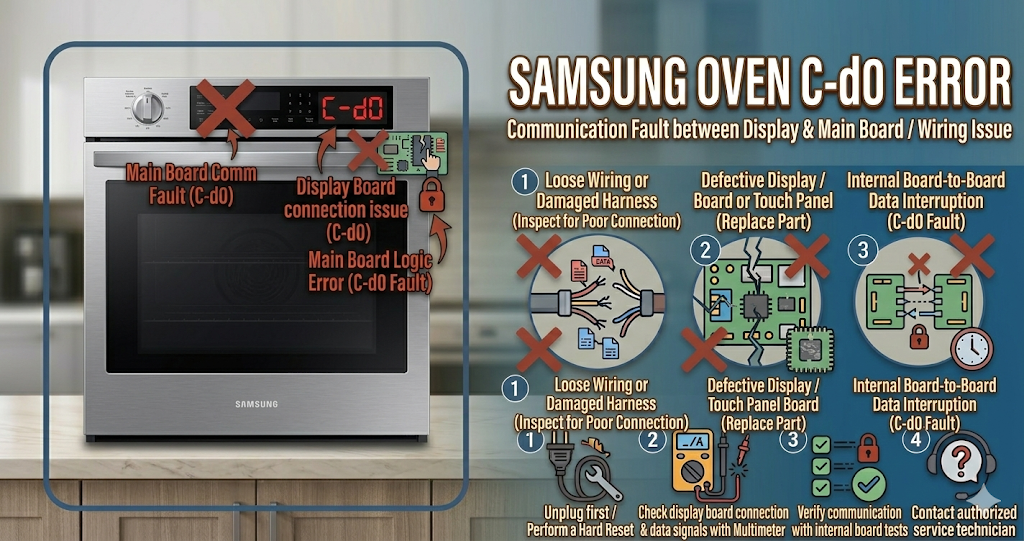
The Samsung oven C-d0 error code (often displayed as C-dO or just d0) indicates a door lock issue. This means the oven’s internal computer is trying to lock or unlock the door but the electronic locking mechanism is not responding correctly. You will most commonly see the Samsung oven C-d0 error right before or immediately after running a high-heat self-cleaning cycle, leaving the oven door completely jammed shut.
⚠️ SAFETY FIRST: You are dealing with 240 volts of electricity. Never attempt to pry the glass oven door open with a crowbar or screwdriver, as it will shatter. Always turn off the double-pole circuit breaker in your home’s electrical panel before removing any exterior metal panels to access the wiring.
What Causes the Samsung Oven C-d0 Error Code?
When your digital display flashes the Samsung oven C-d0 error, the main computer is not receiving the correct signal from the microswitches inside the door lock assembly. The most common triggers for this frustrating failure include:
- Jammed door lock motor: The small electric motor that physically moves the metal latch back and forth has stripped its plastic gears or completely burned out due to the intense heat of the self-cleaning cycle.
- Faulty microswitches: Tiny switches sit next to the lock motor to tell the computer if the latch is open or closed. If they melt or short out, the computer gets confused and throws the error.
- Misaligned door: If the oven door hinges are slightly bent or the door was pushed hard, the metal latch on the oven frame cannot properly align with the slot on the door.
- Main control board failure: The lock motor is perfectly fine, but a burned-out relay on the main computer board is no longer sending the required voltage to activate the mechanism.
Tools You Will Need for This Repair
To properly diagnose, unlock, and resolve the Samsung oven C-d0 error, gather these tools:
- A Phillips-head screwdriver or a 1/4-inch nut driver (to remove the upper rear access panel).
- A digital multimeter (crucial for testing the microswitches).
- A bent coat hanger or stiff wire (for the manual unlock trick).
- A flashlight.
How to Fix Samsung Oven C-d0 Error Step-by-Step
Before replacing parts, try this simple trick. Sometimes, the computer just gets stuck in a loop. Turn the circuit breaker off for 10 minutes. Turn it back on and immediately press the “Clear/Off” button. If the door still won’t open, follow these DIY troubleshooting steps:
- How to Manually Unlock the Door: If your food is trapped inside, you need to open the door manually. Turn off the power. Take a wire coat hanger, untwist it, and make a small hook at one end. Slide the hook between the top of the oven door and the control panel. Catch the metal latch mechanism in the center and pull it gently to the left (or right, depending on the model) to manually release the hook.
- Access the Lock Assembly: Pull the oven away from the wall. Using your screwdriver, remove the screws securing the upper back metal panel. The door lock assembly is a small motorized metal box located right in the top center, just behind the control board.
- Inspect the Assembly: Shine your flashlight on the motorized lock. Look for melted wires, burnt plastic switches, or a broken plastic cam wheel. If the plastic is visibly melted, the entire lock assembly must be replaced.
- Test the Lock Motor: Unplug the wire harness from the small lock motor. Set your digital multimeter to the Ohms (Ω) setting. Touch the probes to the motor’s terminals. If your multimeter reads infinite resistance (OL), the internal wire is broken, and you must order a new OEM Samsung door lock assembly.
How to Reset a Samsung Oven (Hard Reset)
After manually unlocking the door or installing a new lock assembly, you must clear the Samsung oven C-d0 error from the memory. Restore power to the oven by flipping the circuit breaker back on. Press the “Clear/Off” button. Set the oven to a quick “Bake” cycle to verify that the element turns on and the computer no longer thinks the door is in an unknown state.
When to call a professional?
If you manually release the latch, test the motor, and find it has perfect electrical continuity, but the Samsung oven C-d0 error persists when you try to use the oven, you are likely dealing with a burnt relay on the main electronic control board. Because diagnosing voltage drops on the main board requires reading complex wiring schematics, it is strongly recommended to contact a certified local appliance technician to complete the repair safely.