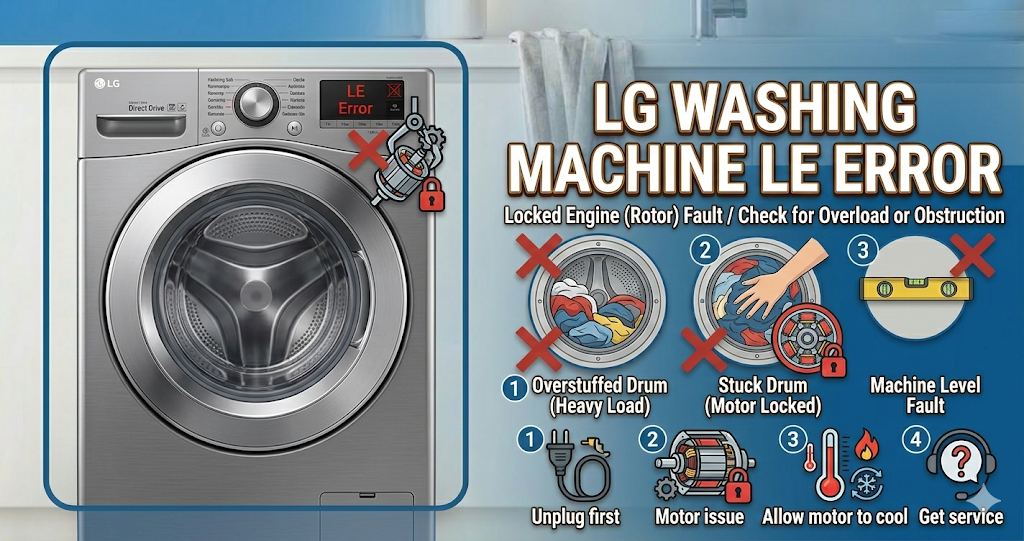
The LG washing machine LE error code indicates a locked motor error or motor overload. This means the internal computer has detected that the motor cannot rotate the drum as expected. Fortunately, the LG washing machine LE error can often be fixed in minutes by simply reducing the load size, clearing out excess soap suds, or replacing a small inexpensive sensor, rather than buying a whole new motor.
⚠️ SAFETY FIRST: Always unplug your washing machine from the wall outlet and turn off the water supply before attempting to physically move the machine or inspect its internal electrical components.
What Causes the LG Washing Machine LE Error Code?
When your washer displays the LG washing machine LE error, the motor is actively struggling to turn the heavy drum. The most common causes include:
- Overloaded drum: Washing too many heavy towels or a massive comforter prevents the motor from spinning the tub properly.
- Suds lock (Too much detergent): Using non-HE (High Efficiency) detergent or simply using too much soap creates thick suds that act like glue, physically locking the drum in place.
- Jammed drum: A coin, bra wire, or small piece of clothing has slipped between the inner and outer tub, physically jamming the rotation.
- Faulty Rotor Position Sensor (Hall Sensor): This small electronic sensor monitors the motor’s speed and position. If it burns out, the computer thinks the motor is locked.
- Broken wire harness: The wires connecting the motor to the main control board have vibrated loose or snapped.
Tools You Will Need for This Repair
For basic troubleshooting, you only need your hands. If you need to replace the sensor, gather:
- A 10mm and a 17mm socket wrench.
- A Phillips-head screwdriver.
- A new LG Hall Sensor (if testing proves the old one is dead).
How to Fix LG Washing Machine LE Error Step-by-Step
If you are dealing with the LG washing machine LE error, try these actionable DIY steps before calling a technician and spending money:
- Let the Motor Cool Down: A motor overload can cause the thermal protector to trip. Unplug the washer and let it sit for 30 to 45 minutes to cool down completely.
- Reduce the Load Size: Open the door and remove half of the wet, heavy clothes. Overloading is the most common reason the motor struggles to spin.
- Clear the Soap Suds: Look inside the drum. If you see a massive mountain of bubbles, you have a suds lock. Leave the washer unplugged for 30 minutes so the bubbles dissipate. When you restart, run a “Rinse & Spin” cycle to flush out the excess soap.
- Check for Physical Jams: With the washer turned off, reach inside and try to spin the stainless steel drum by hand. It should spin smoothly with a slight magnetic resistance. If it feels completely stuck or makes a loud scraping metal noise, a foreign object is trapped between the tubs.
- Inspect the Hall Sensor: If the drum spins freely by hand, the most common mechanical cause of the LG washing machine LE error is a dead Hall Sensor. This requires removing the back panel of the washer, taking off the large metal rotor (using a 17mm wrench), and inspecting the small plastic sensor attached to the stator.
How to Reset the LG Washer After an LE Code
Clear the LG washing machine LE error from the memory by performing a hard reset. Unplug the machine, press and hold the Start/Pause button for 5 seconds to drain residual power, and plug it back in. Select a normal cycle to test the drum rotation.
When to call a professional?
If you have reduced the load size, ensured there are no excess suds, and the drum spins freely by hand, but you still see the LG washing machine LE error after replacing the Hall Sensor, the issue is more complex. You likely have a damaged wire harness or a failing main electronic control board. At this stage, it is highly recommended to contact a certified local appliance technician to safely diagnose and test the high-voltage components.